One place to manage Nyra
Configure your server through the web Control Centre, with separate settings for the features your clan uses.
 NYRA
HQ
Login with Discord
MEET YOUR CLAN’S NEW ASSISTANT
Nyra brings RuneScape clan activity and Discord administration into one place. Keep members organised, celebrate progress and give your staff the tools to run a welcoming community.
ONE CLEAR OVERVIEW
The Control Centre brings feature readiness, server activity and health checks together. See which features are enabled, review staff actions and jump straight to the settings you need.
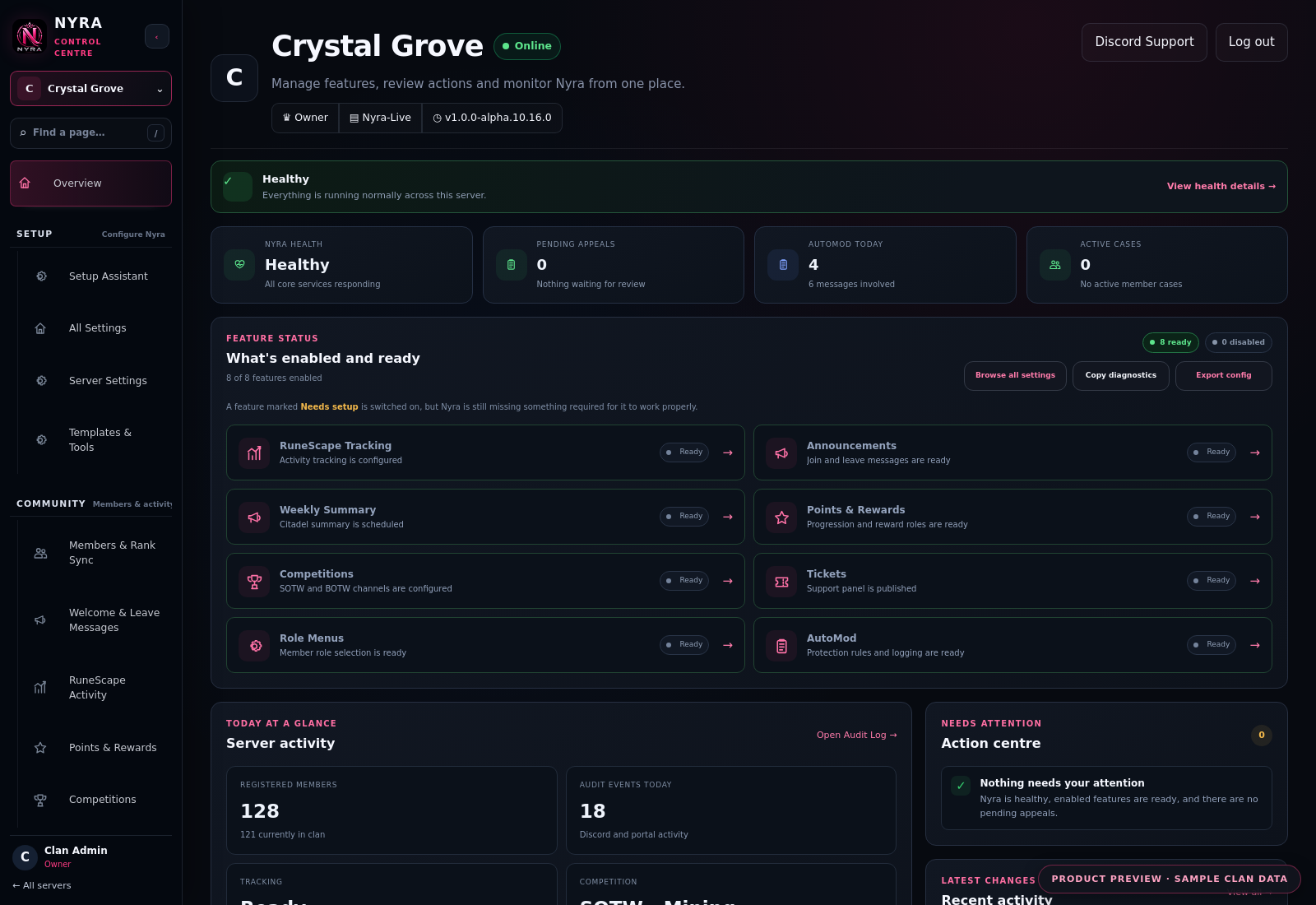
Configure your server through the web Control Centre, with separate settings for the features your clan uses.
Readiness and permission checks help you spot missing channels, roles and permissions.
Contextual guides explain each workspace. General admin documentation is available without login.
MEMBERS & CLAN RANKS
Link RuneScape accounts to Discord members, review clan membership and map RuneScape clan ranks to Discord roles. Registered identities keep Nyra’s clan features connected to the right players.
Learn about Rank Sync →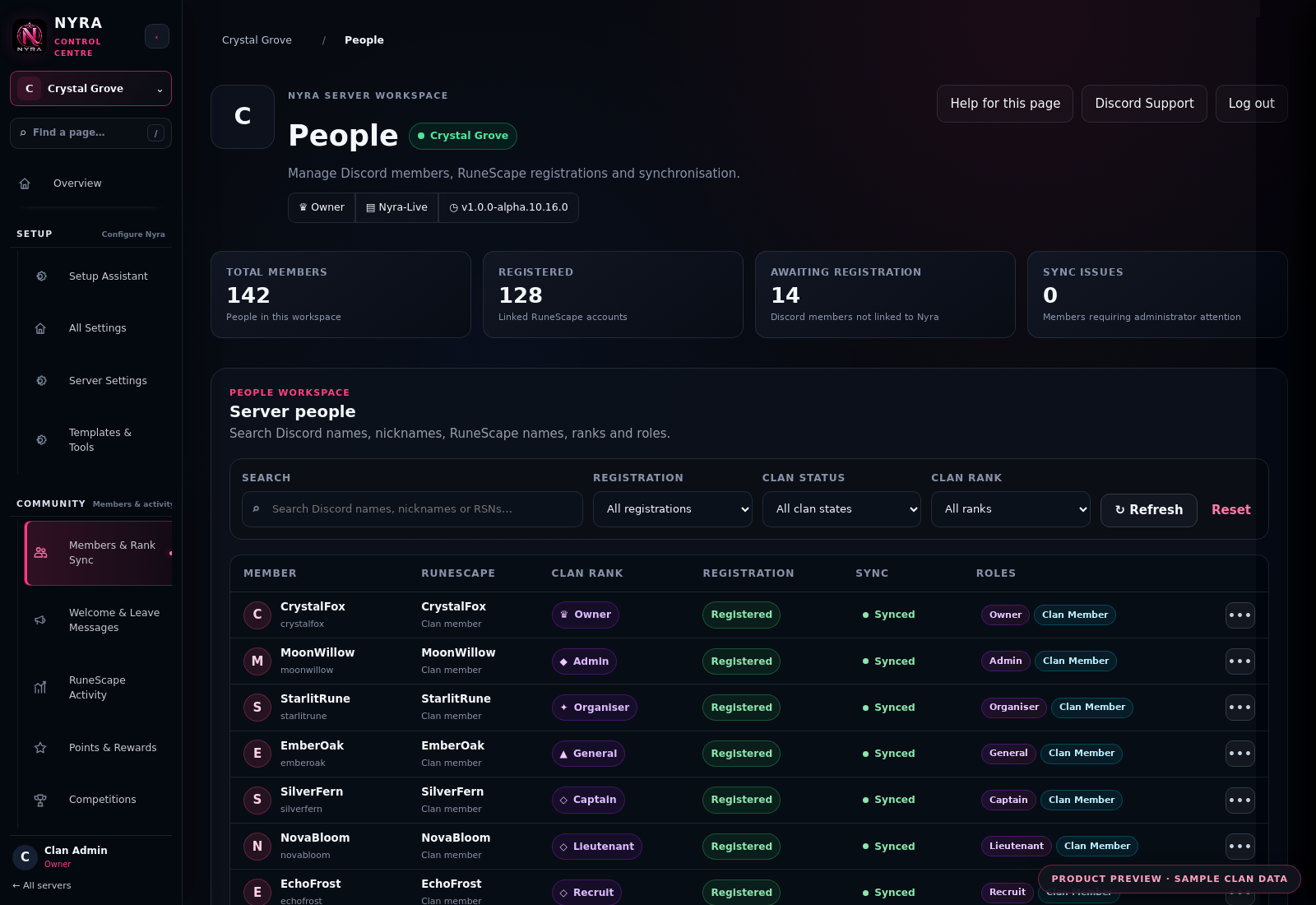
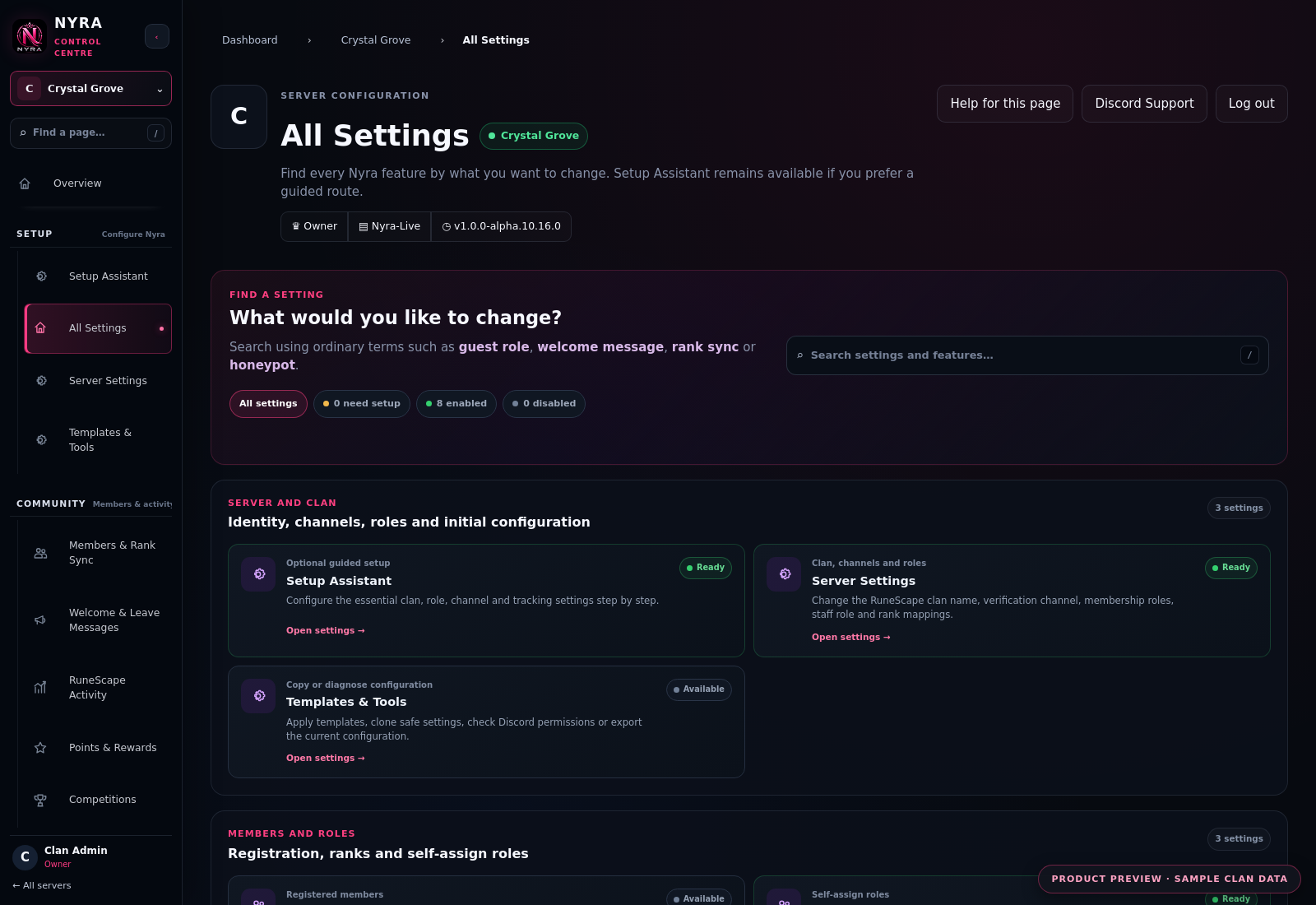
CONFIGURE IT YOUR WAY
Use guided setup to configure the essentials, or browse All Settings to choose individual features. Search by what you want to change, then return whenever your clan’s needs change.
BUILT FOR CLAN COMMUNITIES
View stats and tracked XP gains, and configure activity announcements using available RuneMetrics data.
Run Skill of the Week and Boss of the Week, with competition updates and leaderboards.
Choose a points name, configure progression thresholds and set Discord role rewards.
Publish a ticket panel, give staff access and configure inactivity closure for member support.
Configure join and leave announcements and publish self-assign role menus.
Configure AutoMod rules, review incidents and manage honeypot cases through staff review.
Features depend on your server configuration, Discord permissions and available RuneScape data.
MAKE NYRA PART OF YOUR CLAN
Sign in with Discord, choose your server and follow the installation or configuration flow.